
We claimed our business in ChatGPT. Here's how it went
 John Dwyer 6 min read
On 11 November 2026, OpenAI let Australian businesses claim a profile inside ChatGPT. It works a bit like a Google Business Profile: you confirm the business is yours, keep its details right, and see how often ChatGPT mentions you. We tried it on ourselves that morning. It mostly went smoothly, with two catches. The option for service businesses wasn’t open yet, and the domain check gave us a code that expired in 30 minutes while we were still logged out of our DNS. Here’s exactly what we clicked, what tripped us up, and how to get through it faster than we did.
Why we bothered
People already ask ChatGPT which business to use. According to OpenAI’s Businesses in ChatGPT page, a claimed profile lets you:
- update your business details so ChatGPT has current information to draw on
- upload a product feed with pricing and availability, if you’re a retailer
- see how often your business is mentioned in ChatGPT, and the conversation topics where you come up
- show a blue check on your profile once it’s claimed
There’s also a “Business Agent” that answers customer questions using information you control. OpenAI says agents are only available to eligible ecommerce and online service businesses in the US for now.
OpenAI is clear that claiming doesn’t guarantee higher placement or sales. ChatGPT keeps making its own recommendations. What you get is control over the facts it works from.
What we wish we’d had open before we started
- A ChatGPT account on a business email address. The profile sits under this login, so use one the business owns.
- Your website on your own domain.
- A login for wherever your domain’s DNS is managed, such as Cloudflare or your domain provider. This is the one that caught us out.
- Government-issued photo ID for the person whose login holds the profile, for the final check.
- Your answers on delivery and returns.
What we did, step by step
1. We searched for ourselves and found nothing
We signed in to ChatGPT, opened the Business Hub and searched “Smashed Avo”. No listing. The line at the bottom of the page says continuing means you accept OpenAI’s Businesses in ChatGPT Terms.
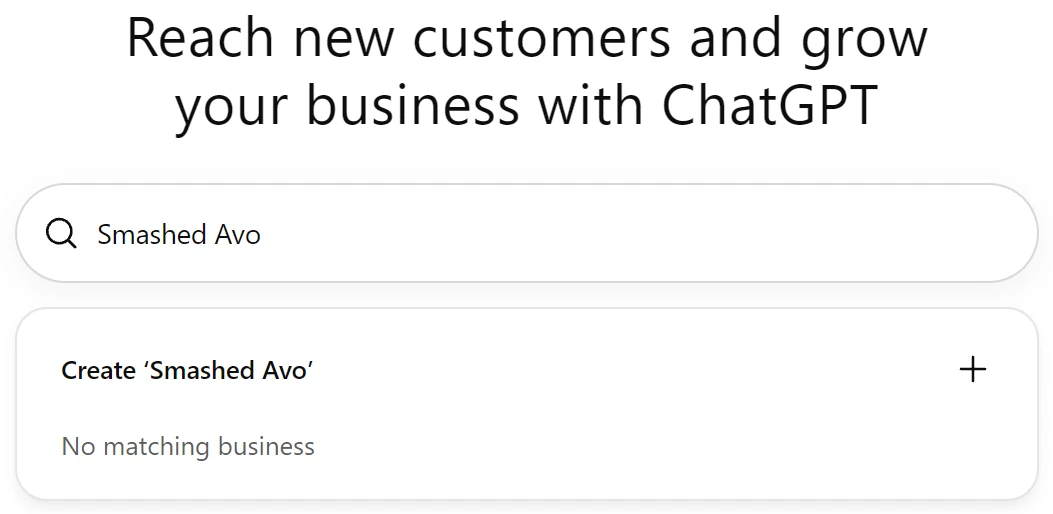
Out of curiosity we searched a few others. Plenty of Australian businesses were already there with addresses, including individual Bunnings stores and several of our own clients. If yours is listed, click it and choose to claim it. You’ll be asked to verify that you’re authorised to represent it. It also means ChatGPT already has details about you that nobody has checked.
If nothing comes up, choose Create and then Get started.
2. The first catch: no option for service businesses
ChatGPT asks how customers usually interact with your business. There are three options.
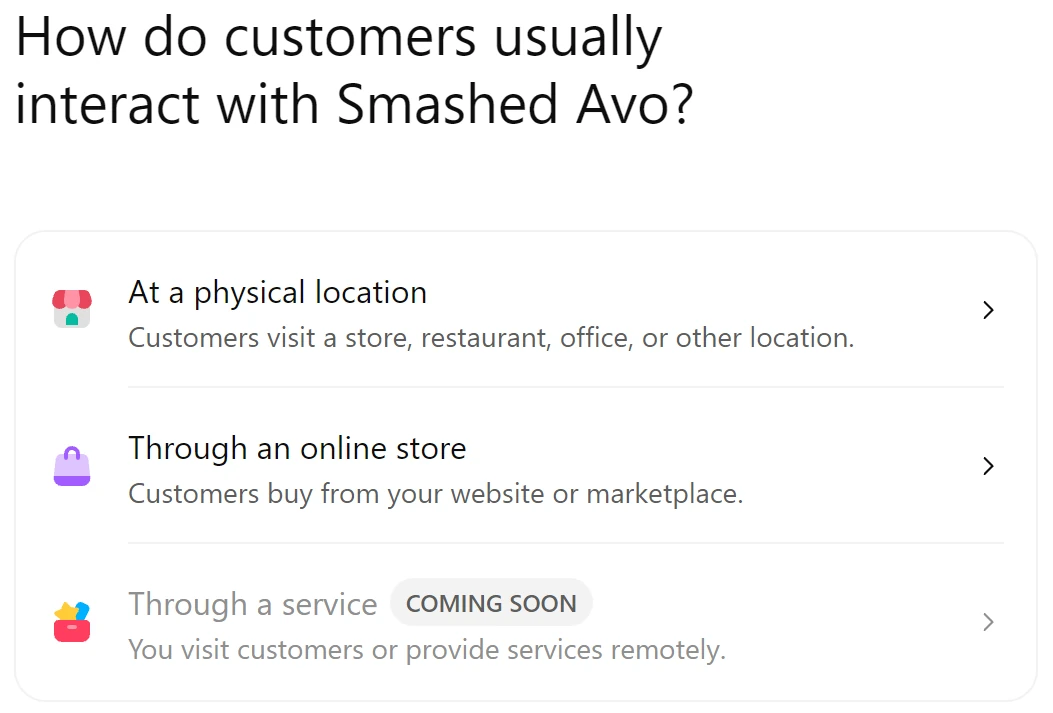
We’re a marketing agency, so “Through a service” was the obvious pick. It couldn’t be selected. “At a physical location” took us to a waitlist, with a note that OpenAI is opening access gradually and will email when you can continue.
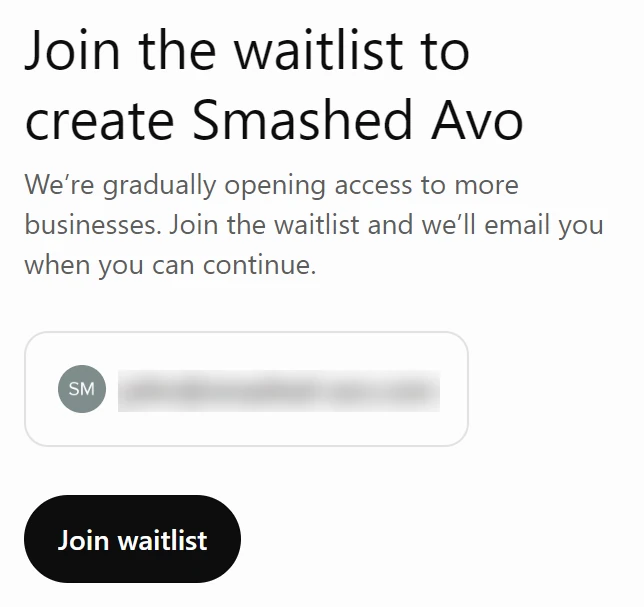
That left “Through an online store”. It sounded wrong for us, but we tried it anyway, and it worked out. The category list includes service types such as accountants and marketing agencies, and the delivery and returns questions have honest answers for a service business. The profile shows your category, not “online store”.
3. The second catch: a 30-minute code
We entered our website, and ChatGPT showed a TXT record to add to our domain’s DNS, with an expiry time underneath.
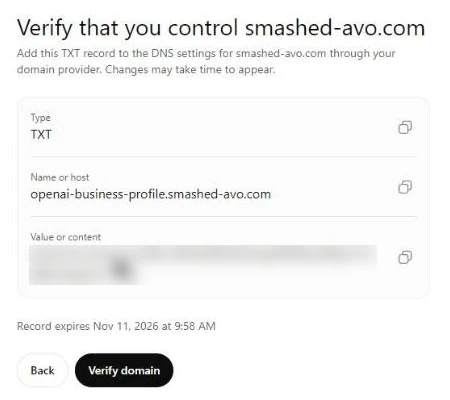
The code appeared at 9:28am and expired at 9:58am. We weren’t logged in to Cloudflare, so the clock was running while we sorted that out. We made it with time to spare, but have your DNS login open before you get to this step.
In Cloudflare, go to DNS, then Records, then Add record. Choose TXT, put openai-business-profile in the Name field (Cloudflare adds your domain for you), and paste the full value into Content. Save.
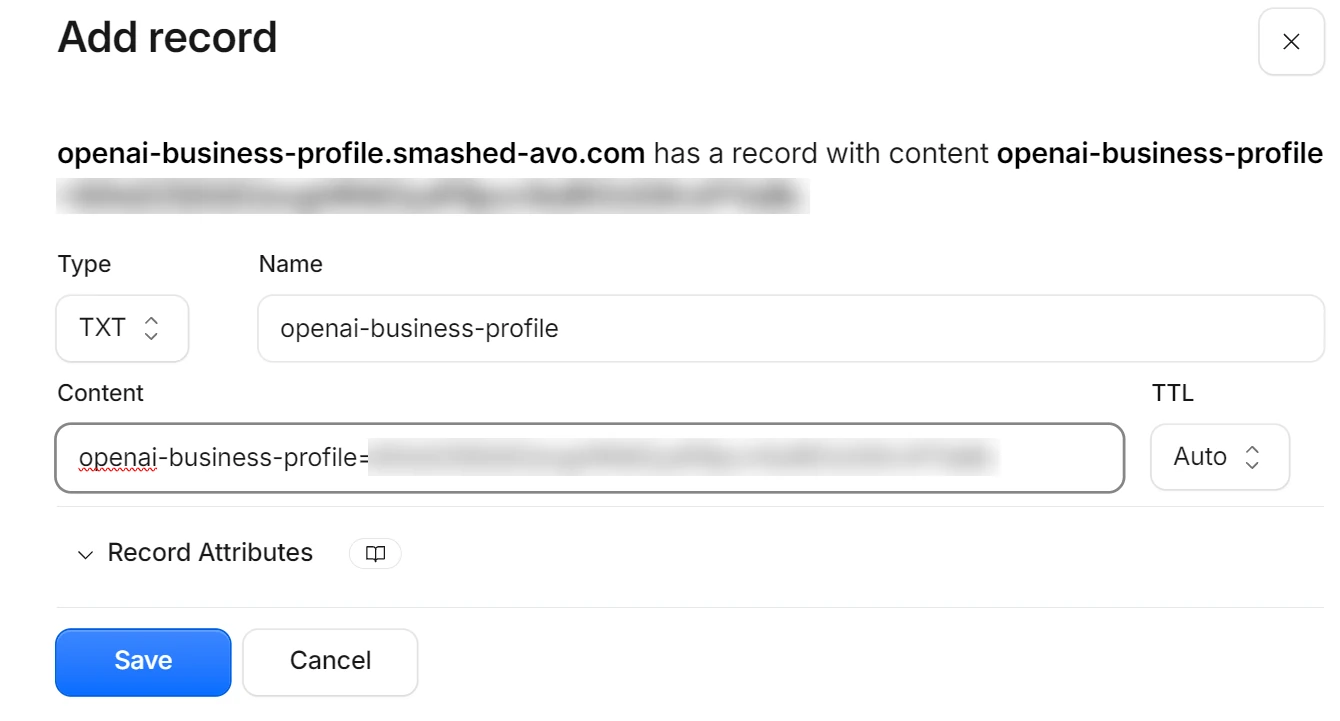
Ours was live within seconds. Back in ChatGPT, we clicked Verify domain and it went straight through.
4. We picked our real category
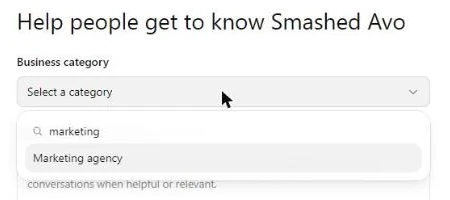
The category list is long and covers far more than shops. We typed “marketing” and there it was.
5. Contact details, and a small trap
Phone and email are both optional. The phone field defaults to the US code, +1, so switch it to +61 before you type your number.
6. Delivery and returns
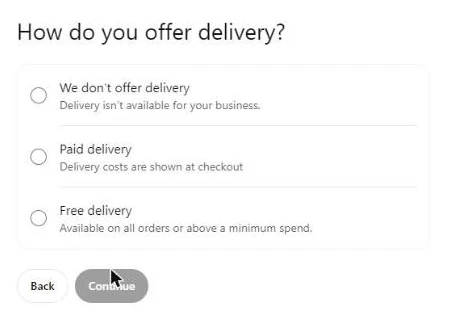
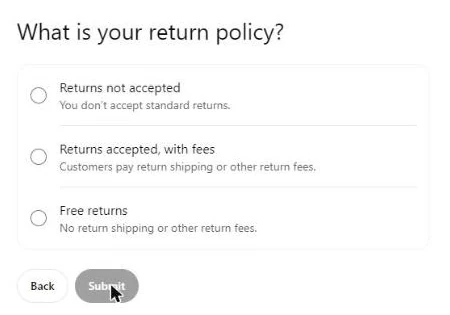
These questions are written for shops. For a service business, the honest answers are “We don’t offer delivery” and “Returns not accepted”.
7. Saved as a draft
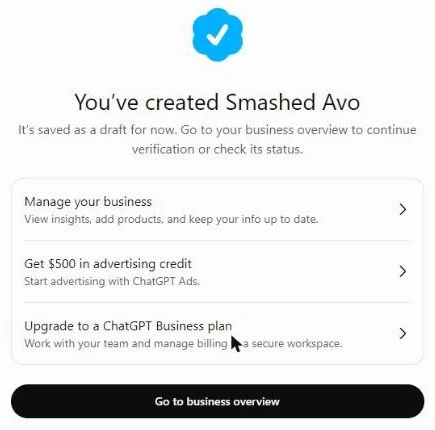
8. The step nobody can do for you
The overview page asks you to verify your identity with a government-issued ID. Until that’s done, you can’t edit your business info or publish an agent. It checks the person whose ChatGPT login holds the profile, which is why the profile should sit on a login the business owns.
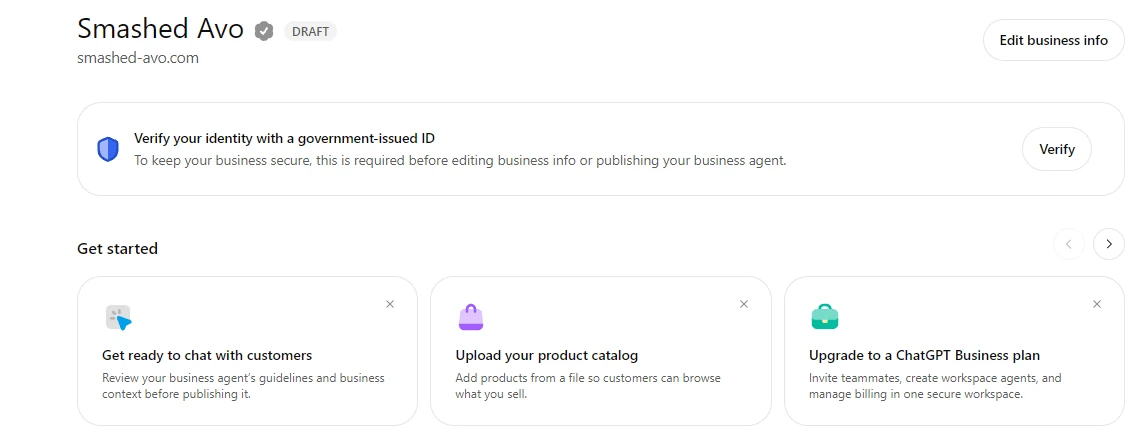
Until then the profile stays a draft, with a grey check beside the name. OpenAI says a blue check appears once a business is claimed.
If you sell online
Shopify stores can connect directly, either from the Shopify admin or from the Business Hub. Product details, pricing and stock come across from your Shopify catalogue.
WooCommerce and other stores don’t have a direct connection that we’ve seen. The Products section of the Business Hub lets you upload your catalogue from a file instead. We haven’t tested a WooCommerce upload yet.
Was it worth it?
I think so. It cost nothing, took us about 30 minutes with a couple of wrong turns, and the profile is our own copy of the facts ChatGPT shows people. If your business is already listed and unclaimed, there’s information about you in there that nobody has checked.
Keep expectations level, though. OpenAI says plainly that claiming doesn’t guarantee placement. We think of it the way we think of a Google Business Profile: worth getting right, and one part of your marketing.
If you’d rather we set it up for you, or you’re stuck on the DNS step, get in touch and our team can take care of it.
Source: OpenAI, Businesses in ChatGPT. Screenshots taken in the ChatGPT Business Hub on 11 November 2026. Screens may change as OpenAI rolls the feature out.
A quick heads-up
We use privacy-friendly analytics to see how people enjoy the site. We don't track who you are or your identity. Privacy Policy